Feishu Assistant Guide
Set up a Feishu AI assistant in three minutes: scan to log in, auto-configure, one-click start — no command line needed.
Feishu Assistant Guide
Just three steps to get an AI assistant in Feishu that can write code, create documents, and run commands for you:
Open Settings → Scan QR Code → Click Start → Done.
No command line. No Node.js. No code to write. No server to buy. No SSL certificate to configure.
Step 1: Download the Tool and Open Settings
In the WinClaw tool page, find the agent_im_feishu tool and click download. Once downloaded, a "Settings" button will appear next to the tool — click it to enter the Feishu assistant configuration wizard.
The wizard has three steps:
Initialize Configuration → Scan QR Code → Configuration Complete
The first step "Initialize Configuration" completes automatically — you don't need to do anything. Then you proceed directly to step two — take out your phone, open Feishu, and scan the QR code.
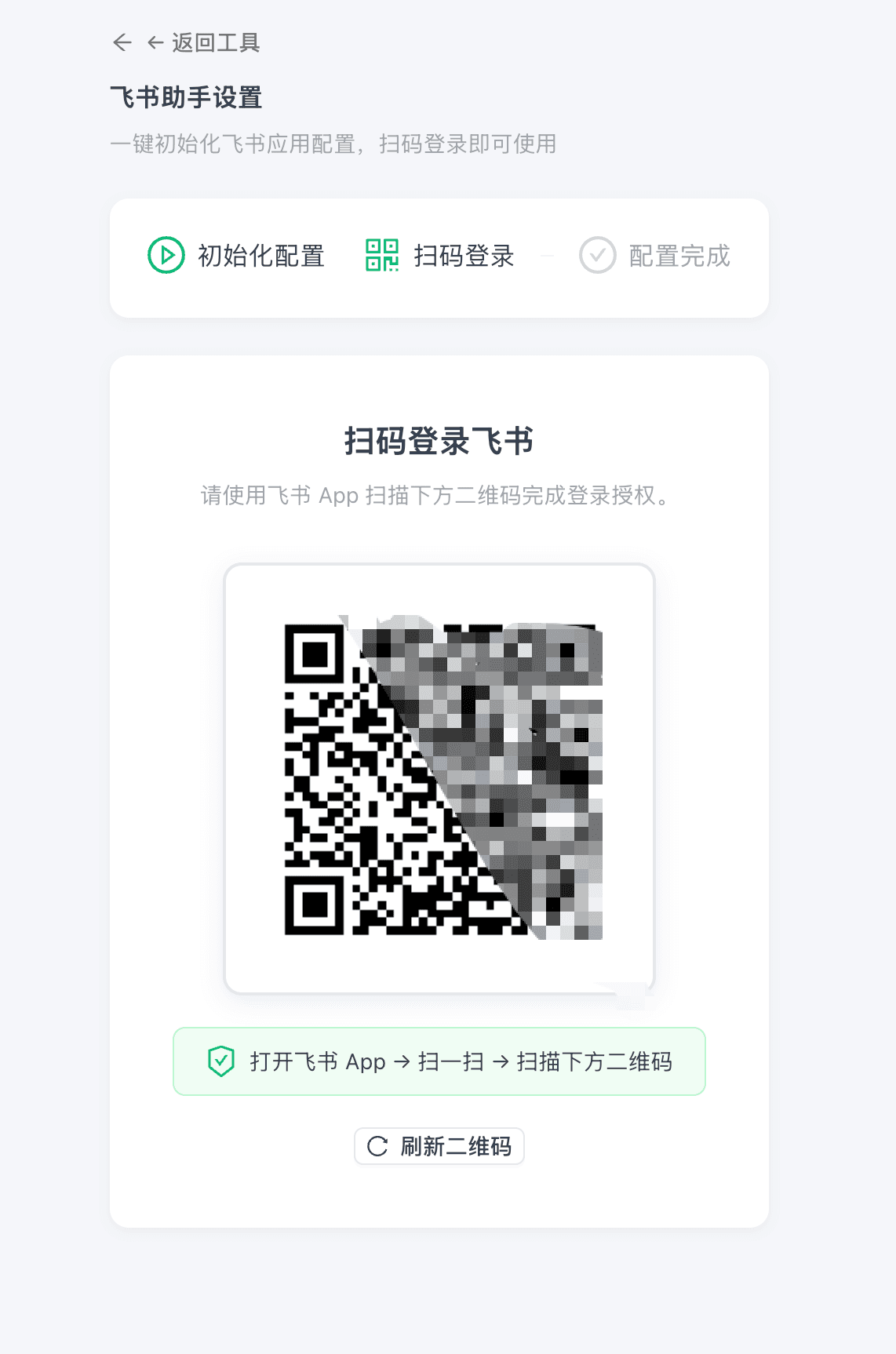
Step 2: Scan the Code, App Created Automatically
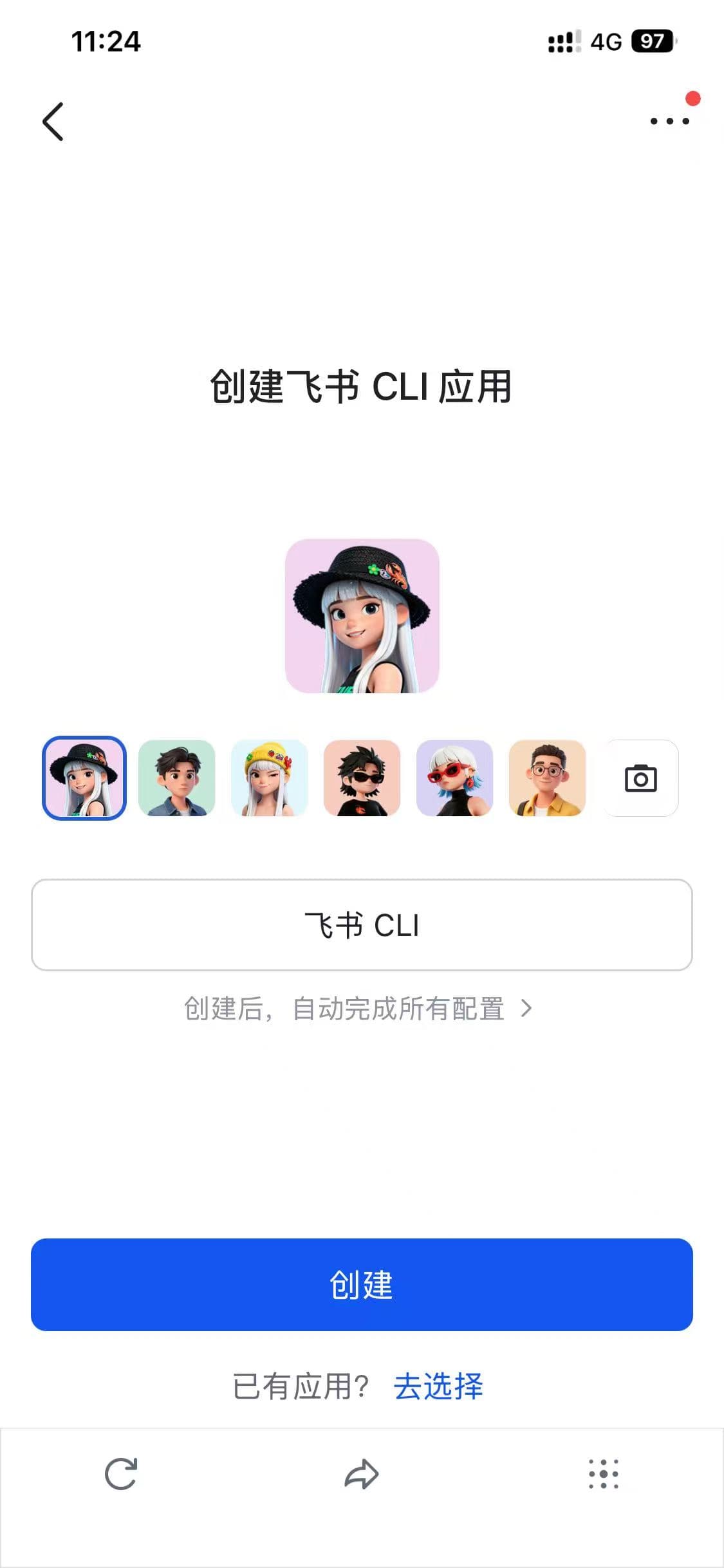
After scanning, your phone will show the Feishu CLI app creation page. The app name is pre-filled automatically — just pick an avatar and tap "Create".
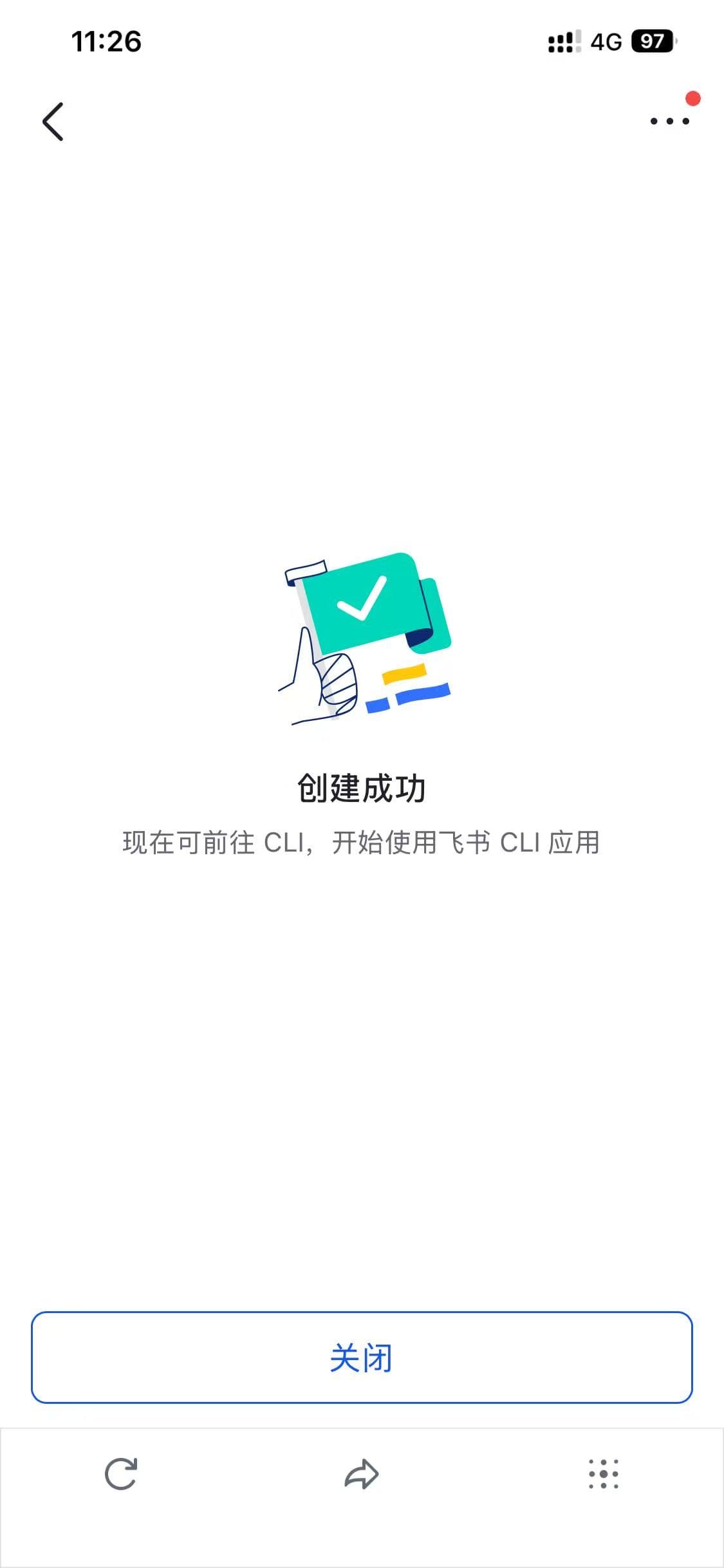
After tapping Create, you'll see a success page:
Right after that, Feishu's "Developer Assistant" will automatically push a message — the self-built app publish request has been auto-reviewed and approved:
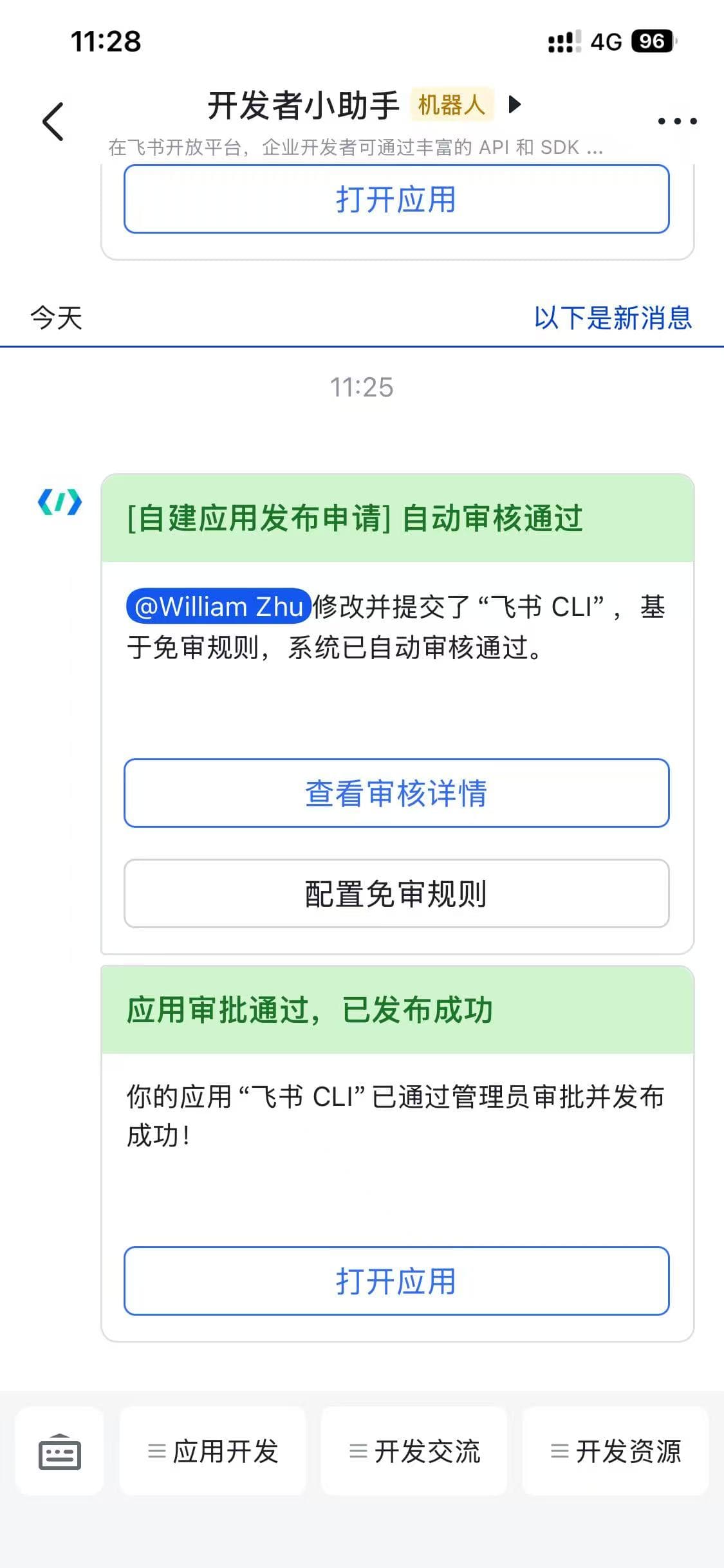
While you scan the code, WinClaw handles everything in the background: automatically creating the Feishu app, configuring permissions, setting up event subscriptions, and completing the approval process. All the work that would normally take half a day of manual configuration on the Feishu Open Platform is done in seconds.
Step 3: Back to Your Computer, One-Click Start
After scanning, go back to the WinClaw Feishu assistant settings page. You'll see the credentials have been auto-filled — app_id, app_secret, and account_id are all populated automatically, no manual copy-pasting needed.
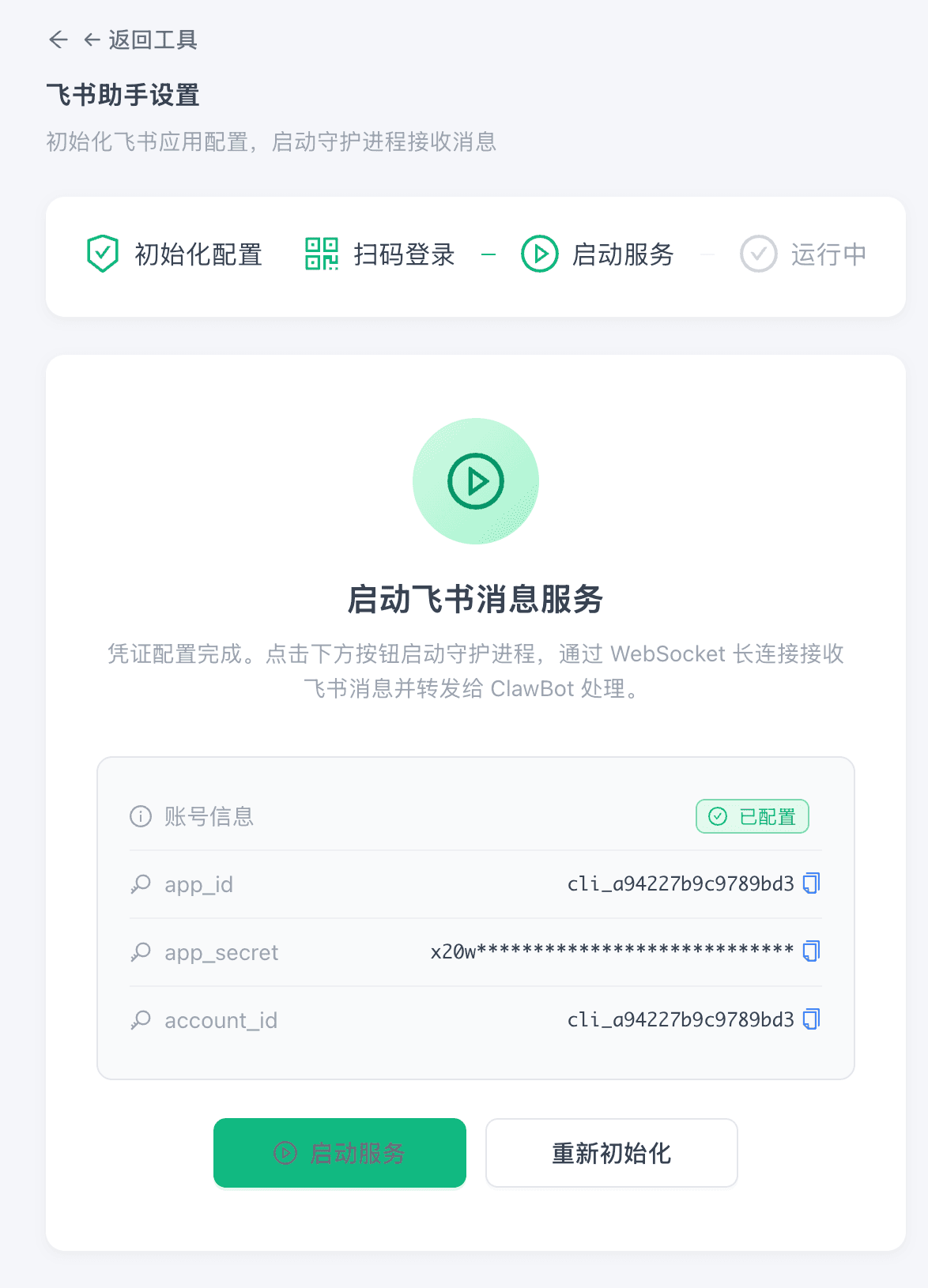
Click the green "Start Service" button. After a few seconds:
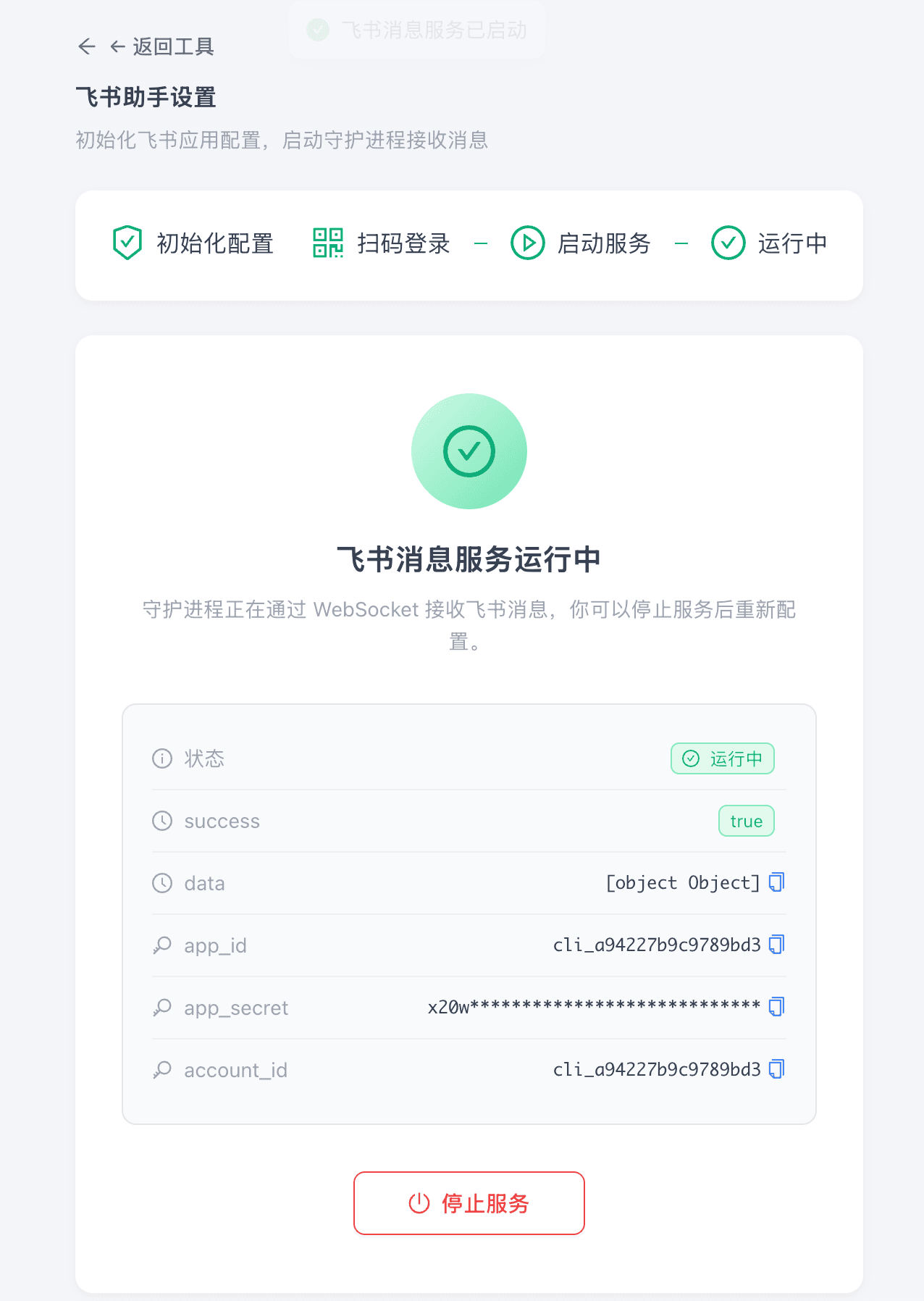
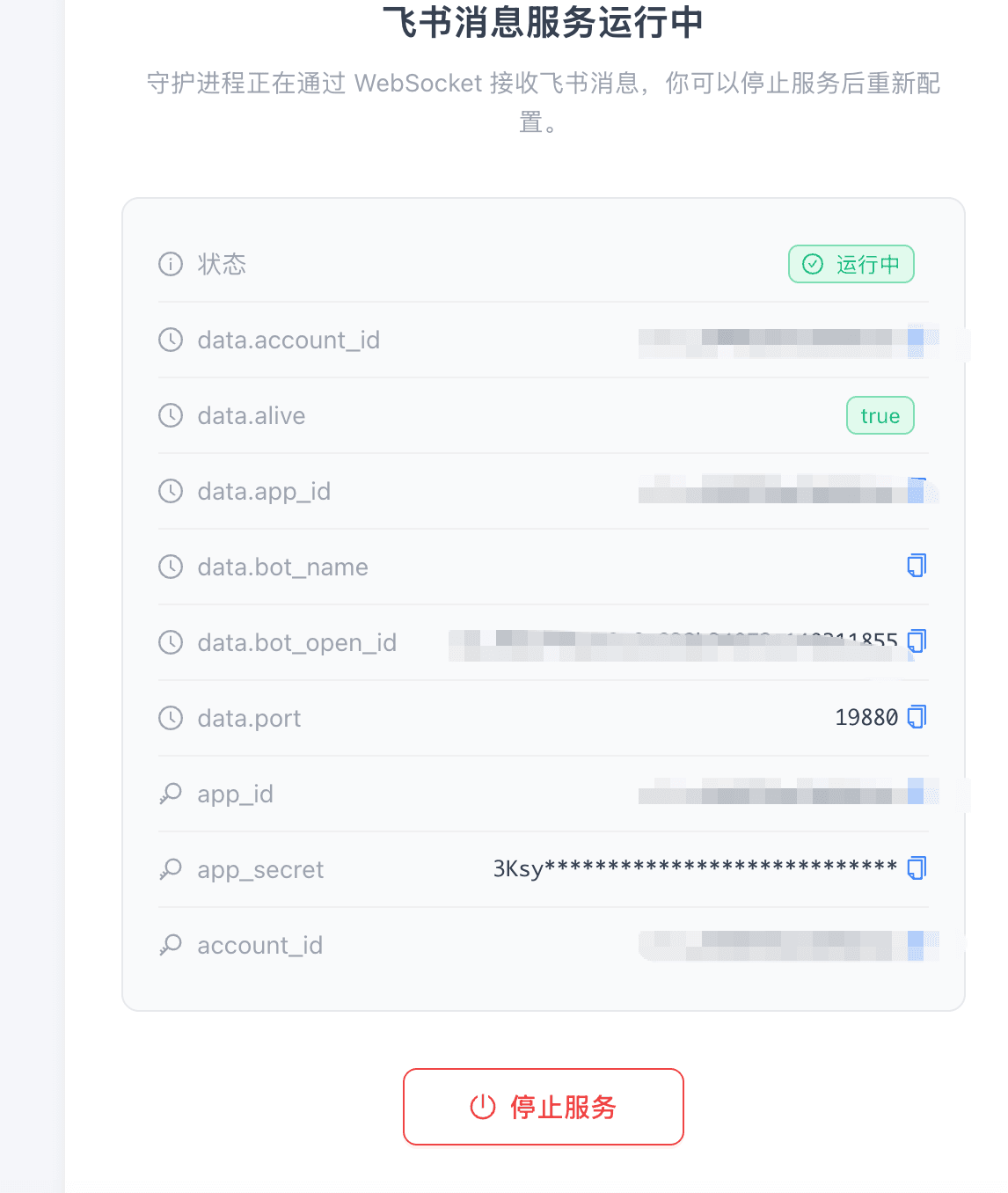
Feishu message service is running. The daemon process receives Feishu messages via WebSocket long connection and forwards them to ClawBot for processing. No public IP needed, no callback URL, no SSL certificate.
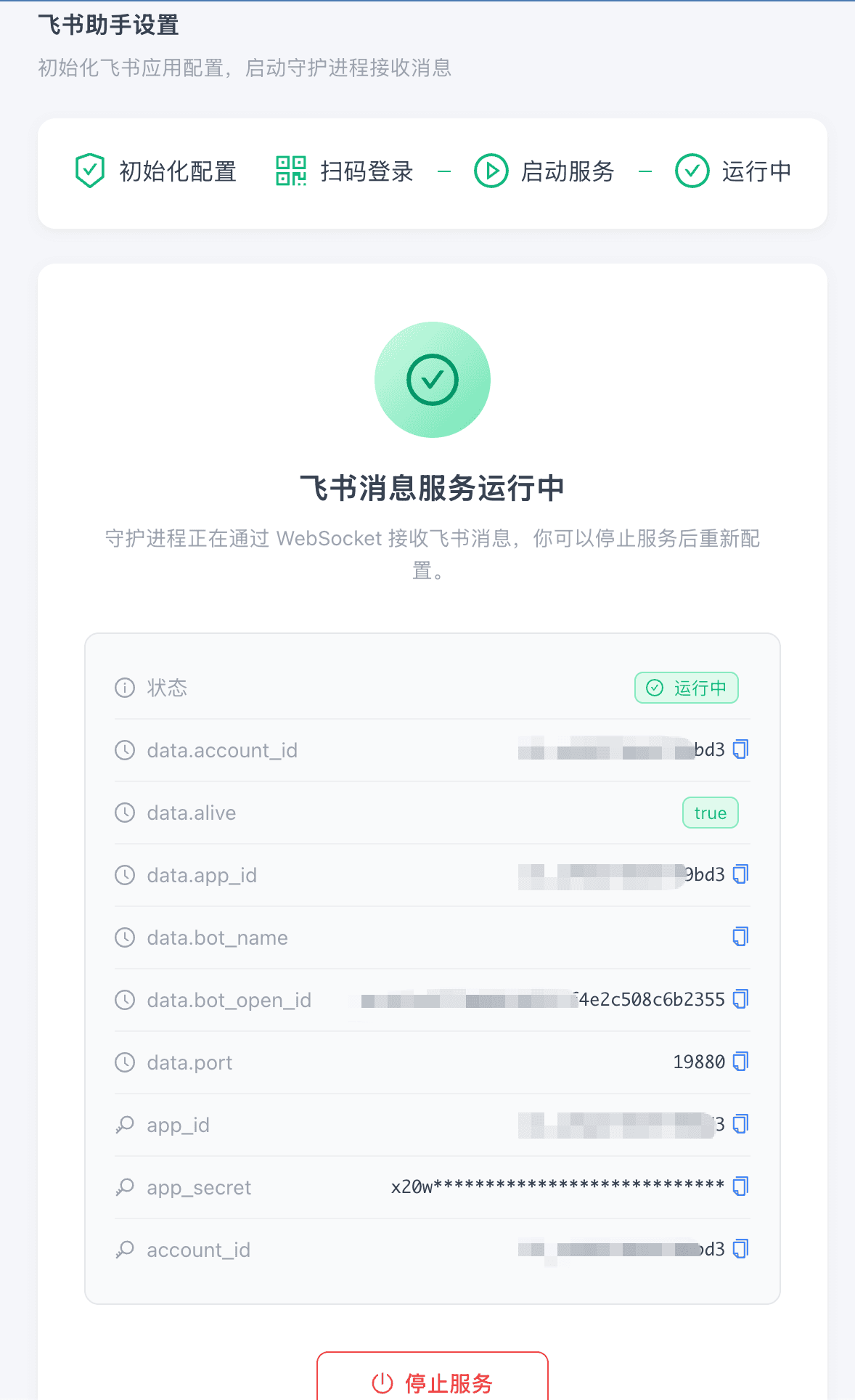
Start Using: Open Feishu and Chat
Now, find the "Feishu CLI" bot you just created in Feishu and send a message:
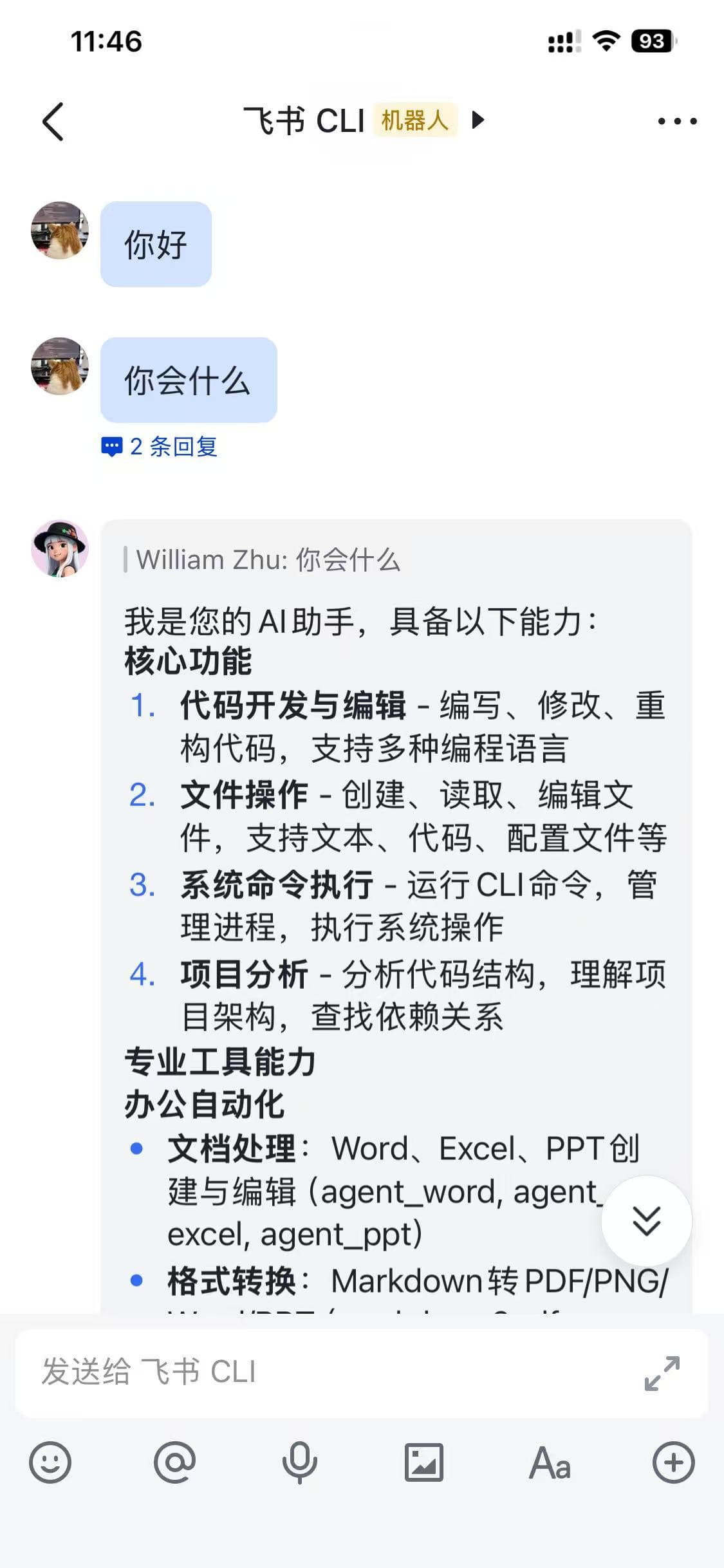
It can do more than you might expect:
Core Features:
- Code Development & Editing — Write, modify, and refactor code in multiple programming languages
- File Operations — Create, read, and edit files including text, code, and config files
- System Command Execution — Run CLI commands, manage processes, perform system operations
- Project Analysis — Analyze code structure, understand project architecture, find dependencies
Professional Tool Capabilities:
- Document Processing: Create and edit Word, Excel, and PPT files
- Format Conversion: Convert Markdown to PDF/PNG and more
- Remote Control: Send instructions via Feishu on your phone, and your computer executes them
Traditional Approach vs WinClaw
| Step | Traditional Approach | WinClaw |
|---|---|---|
| Create Feishu App | Manually fill in info on the Open Platform | Auto-created via QR scan |
| Configure Permissions | Manually check dozens of permission items | Auto-configured |
| Build Service | Install Node.js, write webhook code | Not needed |
| Deploy | Buy server, configure domain and SSL | Not needed, direct WebSocket |
| Review & Publish | Submit for review, wait for approval | Auto-reviewed, instant |
| Debug | Check logs, troubleshoot, test repeatedly | Not needed, works out of the box |
| Total Time | Half a day to a full day | 3 minutes |
Update agent_im_feishu
When a new version of agent_im_feishu is released, follow this update procedure.
Step 1: Open Settings and Stop the Current Service
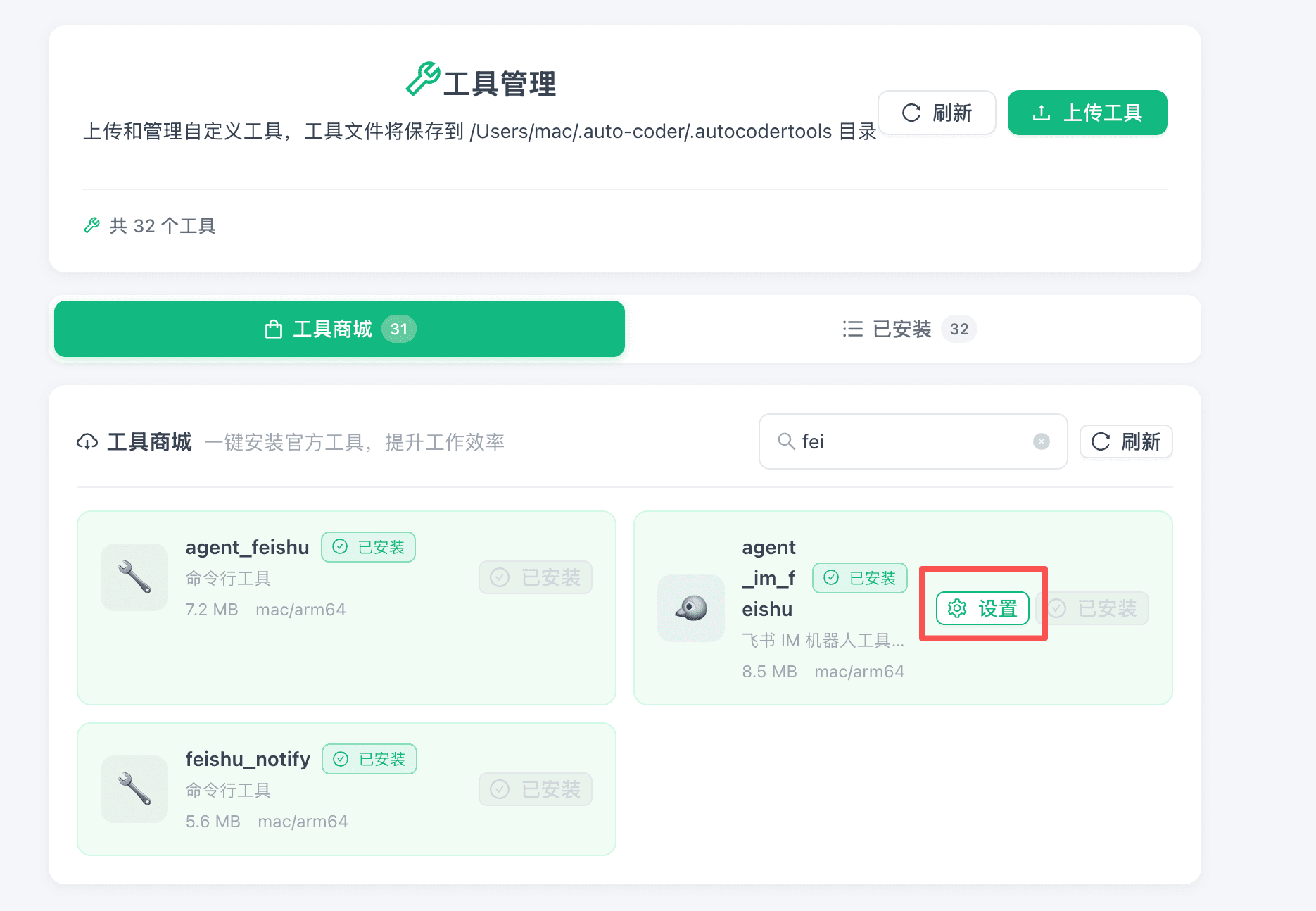
In the Tool Store, search for agent_im_feishu, then click Settings to open the plugin page.
On the settings page, click Stop Service to ensure the current service is stopped.
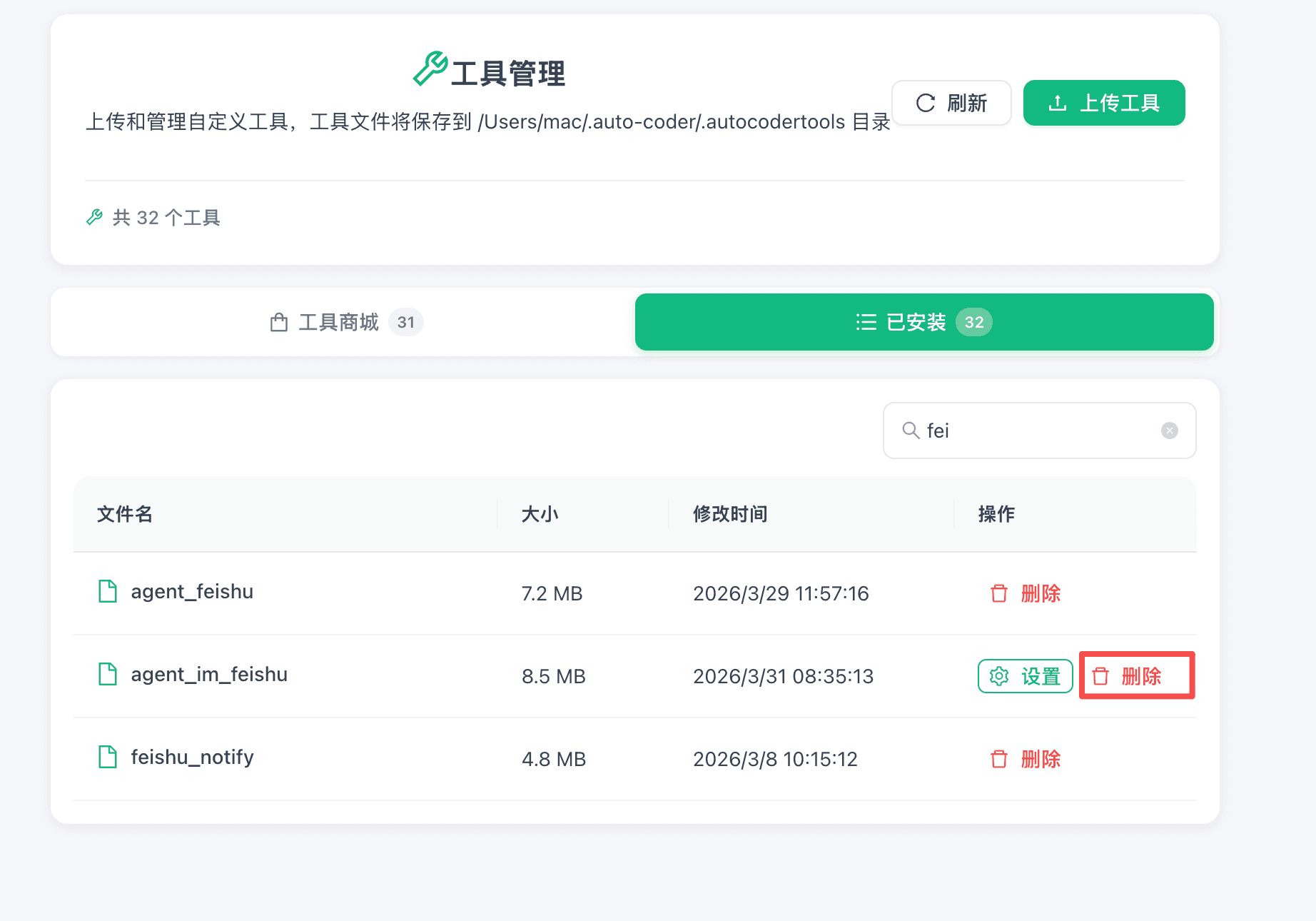
Step 2: Delete the Old Version from Installed
Go back to Tools / Installed, find agent_im_feishu, and click Delete.
Step 3: Reinstall
After deletion, go to the Tool Store, search for agent_im_feishu, and reinstall it. After installation, follow the setup steps above to open settings and start the service again.
Quick Recap
- Open WinClaw, download agent_im_feishu from the tool page, and click "Settings"
- Take out your phone, open Feishu, and scan the QR code
- Click Start Service — done
From "wanting to use it" to "actually using it" — just three minutes.
This guide is based on the WinClaw Feishu assistant feature. Supports one-click initialization, QR code authorization, and auto-configuration — no command line operations required.