Uninstall & Update
How to uninstall AI电脑管家 and update to the latest version.
Uninstall
Windows
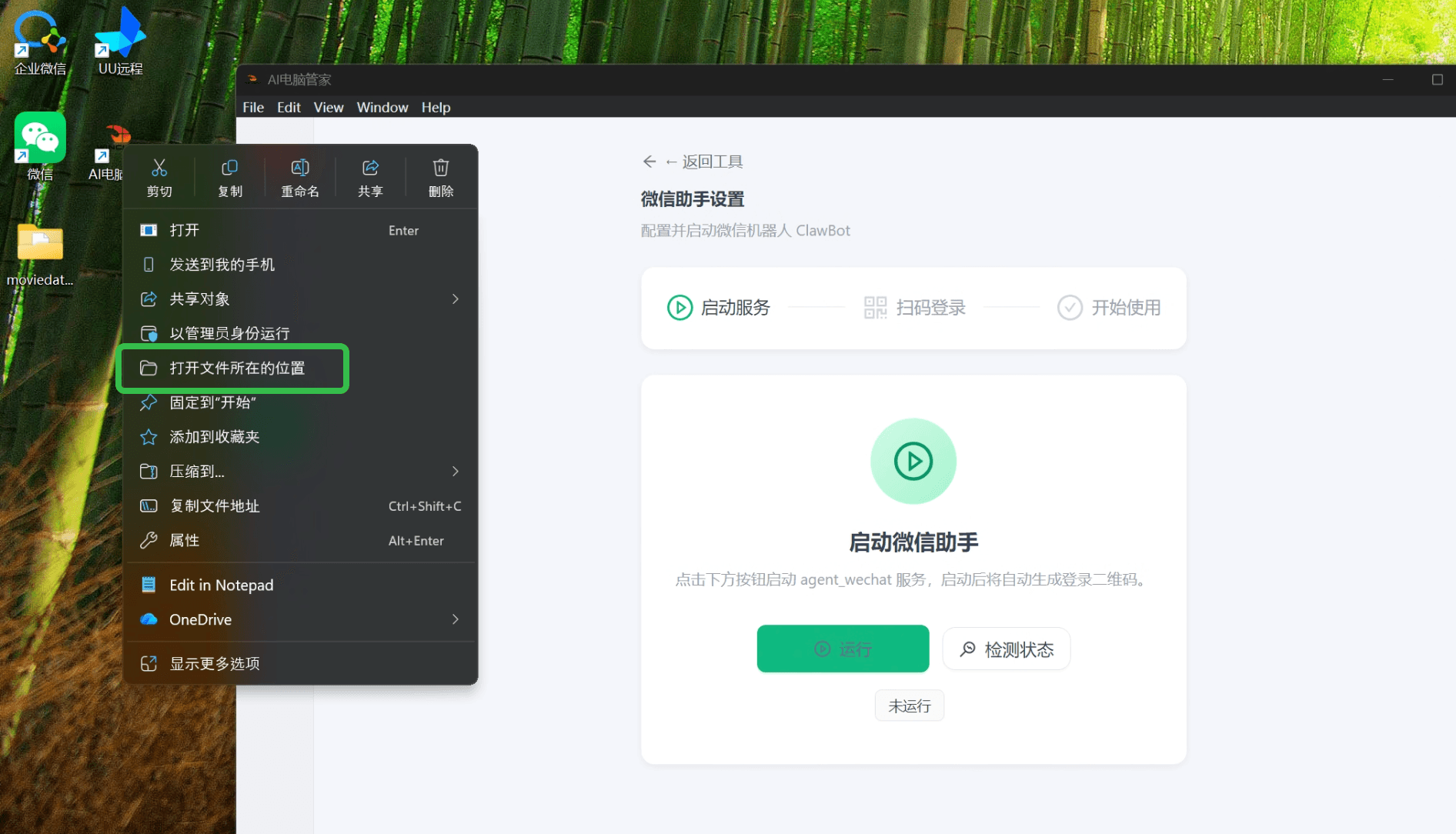
- Right-click the AI电脑管家 shortcut on your desktop and select Open file location
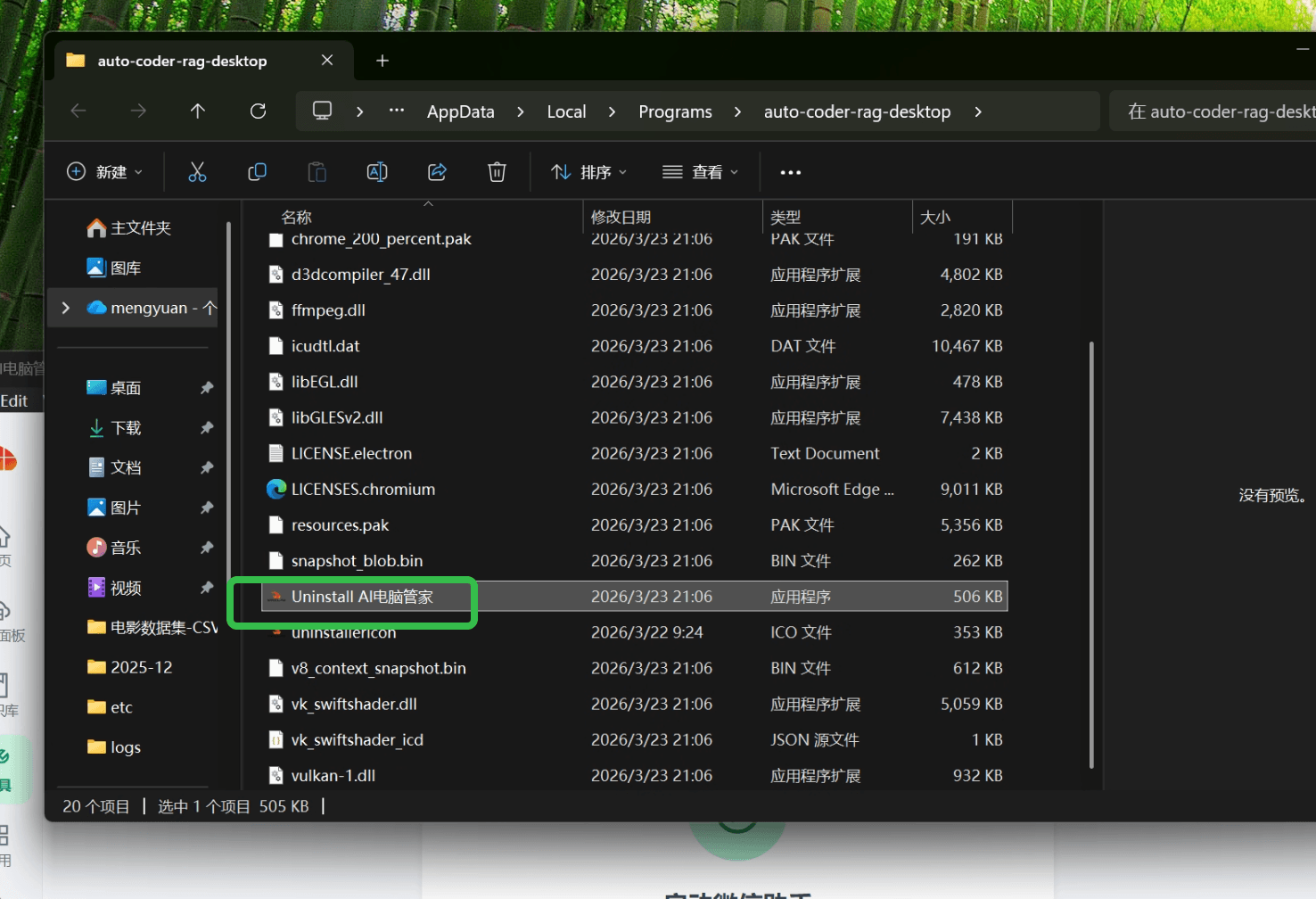
- In the opened folder, find Uninstall AI电脑管家 and double-click to run the uninstaller
macOS
Open Finder, navigate to /Applications, find AI电脑管家.app, and drag it to the Trash (or right-click and select "Move to Trash").
Linux
Delete the installation directory. The exact path depends on where it was installed. Contact the author if you need help.
Update
To update AI电脑管家, uninstall the old version first, then install the new one:
- Follow the uninstall steps above to remove the current version
- Visit the AI电脑管家 website to download the latest installer
- Follow the installation guide for your platform:
Uninstalling does not delete your configuration data or tools. After reinstalling, your model settings, installed tools, and other data will be preserved.
If your service has been updated but the page still does not match the expected version, try restarting your computer and check again.