Connect Service
Connect to WinClaw cloud service to get free model tokens and start using immediately.
By connecting to the WinClaw cloud service, you can get free model token credits without configuring third-party API keys, and start chatting with AI right from the homepage.
Note: Accounts on the Global site (winclaw.me) and the China site (winclaw.cn) are separate. Please register on the site that matches your region.
Step 1: Visit the WinClaw Website
Open your browser and navigate to the WinClaw website:
- Global: winclaw.me
- China: winclaw.cn
Click the "Console" button in the top-right corner to enter the management dashboard.
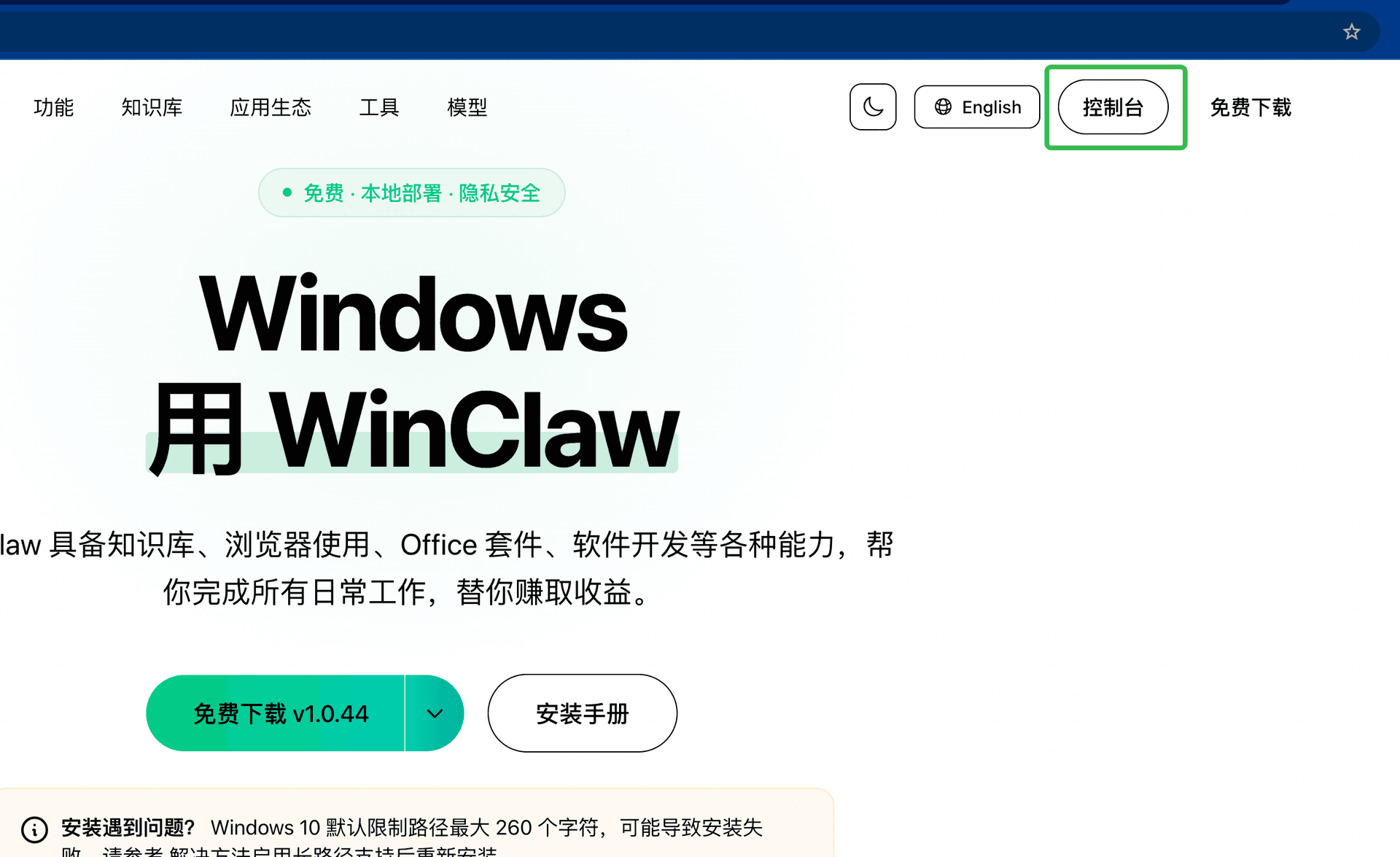
If you don't have an account yet, please register and sign in first.
Step 2: Generate an API Key
Once inside the console, go to the API Keys management page and click the "Create Key" button in the top-right corner to generate a new API Key.
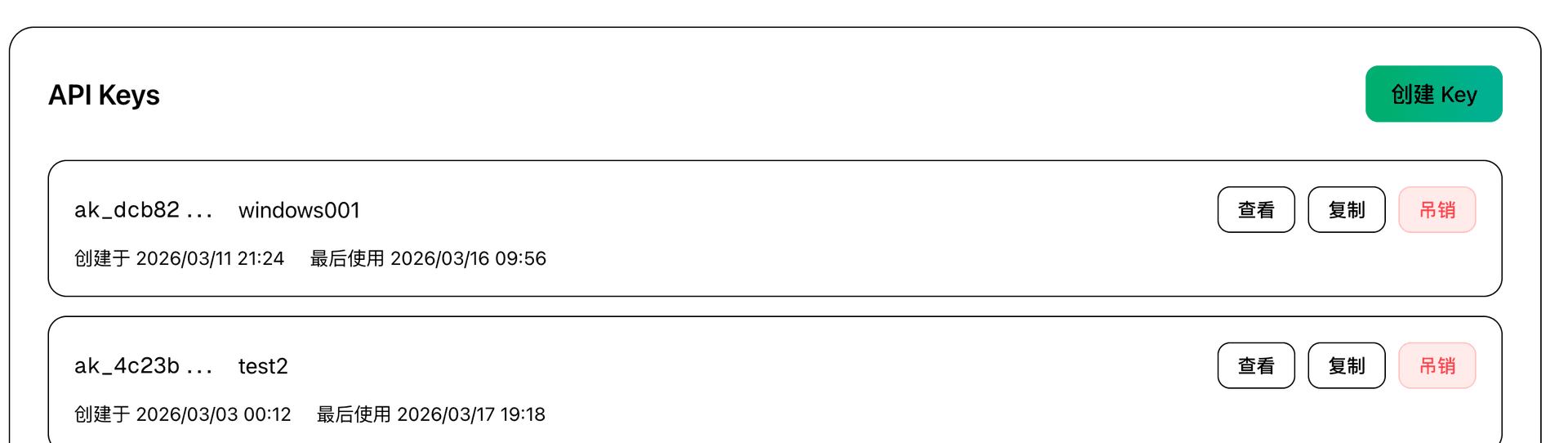
After creation, click the "Copy" button to copy the API Key to your clipboard — you'll need to paste it into the app next.
Tip: Keep your API Key safe and do not share it with others. If a key is compromised, you can revoke it and create a new one at any time from the console.
Step 3: Configure the API Key in the App
Open AI PC Manager and click the "Control Panel" icon in the left sidebar to enter the Control Panel page.
Follow these steps to complete the configuration:
- Enter API Key: Paste the API Key you copied in Step 2 into the "API Key" input field
- Enable the toggle: Switch the "Enable" toggle to the on position
- Save configuration: Click the "Save Config" button at the bottom
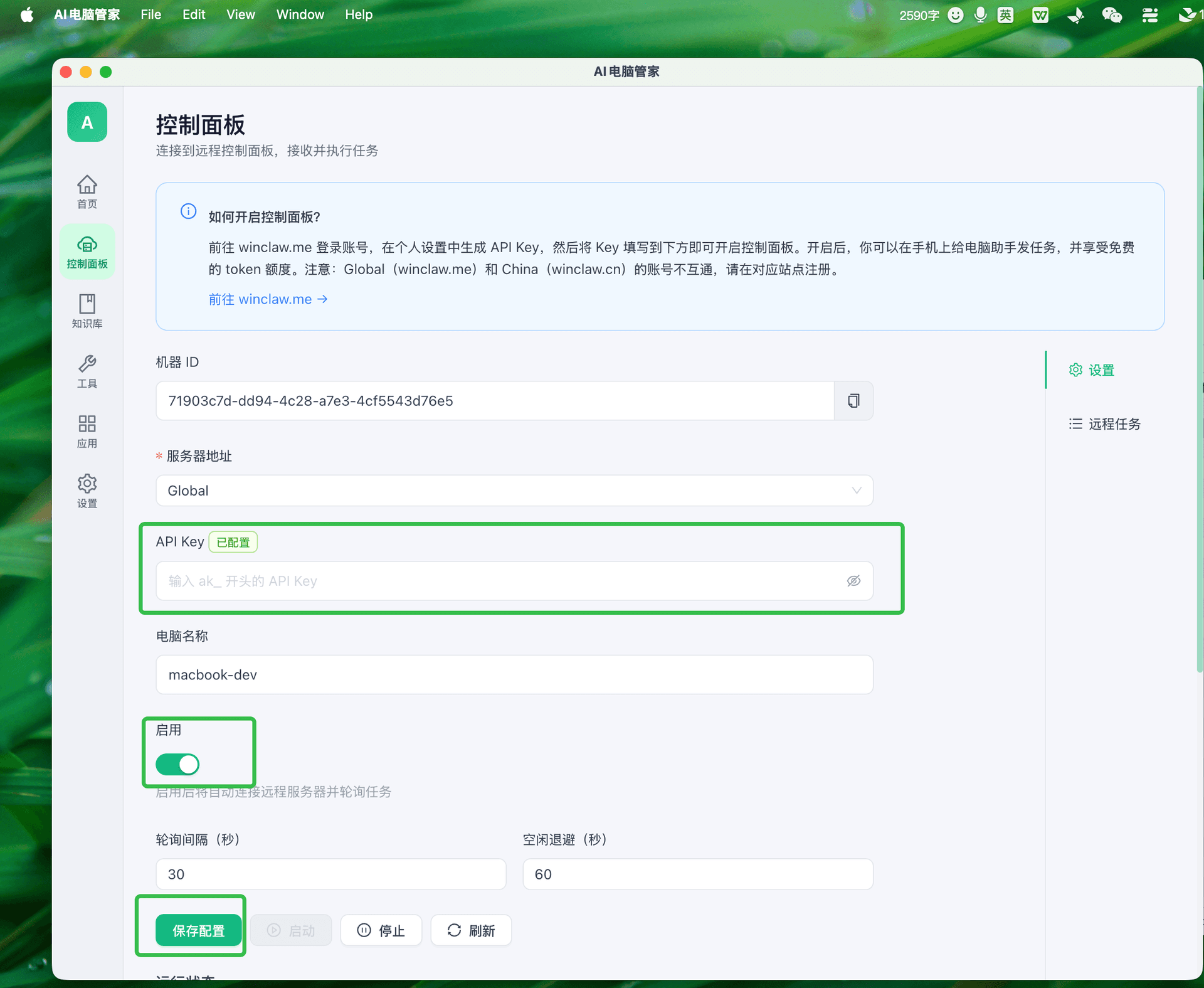
After saving, the app will automatically connect to the WinClaw cloud server.
Step 4: Start Using Free Models
Once connected, the system will automatically assign free model token credits to your account. You can now:
- Click the "Home" icon in the left sidebar to return to the main interface
- Type your questions or commands directly in the chat box
- The AI will respond using the free model
Try these commands to get started:
"Summarize the document on my desktop""Search for today's tech news""Help me write a work email"
FAQ
What if the connection fails?
- Make sure your API Key is entered correctly — it should start with
ak_ - Check that your network connection is working
- Confirm the server address is correct (Global for winclaw.me accounts, China for winclaw.cn accounts)
What if I run out of free credits?
You can check your remaining credits in the WinClaw console. For more credits, you can top up in the console, or configure a third-party model API key instead.